TOON: Token-Oriented Object Notation for Efficient LLM Data Exchange
Introduction
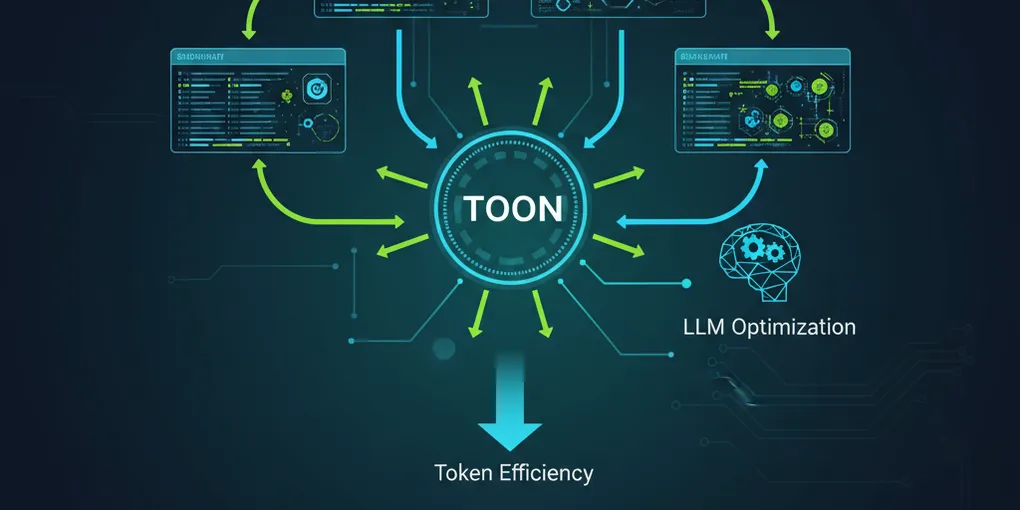
In the rapidly evolving landscape of AI and large language models (LLMs), data efficiency has become a critical factor. Traditional JSON, while ubiquitous, can be verbose and token-intensive when transmitting structured data to LLMs. Enter TOON (Token-Oriented Object Notation) - a compact, human-readable serialization format specifically designed to reduce token usage by 30-60% compared to JSON while maintaining full structural integrity.
This article explores TOON’s capabilities and demonstrates how to implement it within agentic coding workflows, where autonomous AI agents handle data processing and transformation tasks.
What is TOON?
TOON is a specialized data format that combines the best of YAML’s structure with CSV’s tabular efficiency. It’s particularly optimized for uniform arrays of objects - the most common data pattern in LLM interactions. The format achieves its token savings through:
- Explicit length markers:
[N]declarations help LLMs validate data completeness - Tabular representation: Uniform data is presented in CSV-like rows
- Flexible delimiters: Choose commas, tabs, or pipes based on content
- Nested structure support: Indentation-based hierarchy for complex objects
Key Benefits
- 30-60% token reduction compared to formatted JSON
- LLM-friendly structure with explicit validation markers
- Human-readable yet compact representation
- Bidirectional conversion between JSON and TOON
- CLI tools for batch processing and file conversion
TOON Format Structure
Let’s examine TOON’s syntax through examples:
Basic Tabular Data
users[3]{id,name,role,active}: 1,Alice,admin,true 2,Bob,user,true 3,Charlie,user,falseThis represents the same data as this JSON:
{ "users": [ {"id": 1, "name": "Alice", "role": "admin", "active": true}, {"id": 2, "name": "Bob", "role": "user", "active": true}, {"id": 3, "name": "Charlie", "role": "user", "active": false} ]}Nested Structures
order: id: ORD-123 customer: name: Alice Johnson email: alice@example.com items[2]{sku,qty,price}: A1,2,19.99 B2,1,29.99 total: 69.97Agentic Coding Implementation
Agentic coding involves autonomous AI agents that can understand requirements, plan solutions, and execute code generation. TOON integrates seamlessly into these workflows by providing an efficient data exchange format between human instructions, AI processing, and system outputs.
Setting Up TOON in Your Project
First, install the TOON library:
npm install @toon-format/toon# orbun add @toon-format/toonBasic Encoding and Decoding
import { encode, decode } from '@toon-format/toon'
// Agent receives data requestconst userData = { users: [ { id: 1, name: 'Alice', department: 'Engineering', salary: 95000 }, { id: 2, name: 'Bob', department: 'Sales', salary: 75000 }, { id: 3, name: 'Charlie', department: 'Engineering', salary: 105000 } ]}
// Agent encodes data efficiently for LLM processingconst toonData = encode(userData, { delimiter: '\t' })console.log('TOON format:', toonData)
// Agent can decode LLM responses back to JSONconst llmResponse = `filtered[2]{id,name,department,salary}: 1\tAlice\tEngineering\t95000 3\tCharlie\tEngineering\t105000`
const processedData = decode(llmResponse)console.log('Decoded:', processedData)Agentic Workflow Example: Data Analysis Pipeline
Here’s how an AI agent might use TOON in a complete data processing workflow:
import { encode, decode } from '@toon-format/toon'
class DataAnalysisAgent { async processDataset(rawData: any, analysisRequest: string) { // Step 1: Encode data efficiently for LLM const compactData = encode(rawData, { delimiter: '\t', indent: 2 })
// Step 2: Construct optimized prompt const prompt = `Analyze this dataset in TOON format:
\`\`\`toon${compactData}\`\`\`
${analysisRequest}
Return results in TOON format with appropriate structure.`
// Step 3: Send to LLM (simulated) const llmResponse = await this.callLLM(prompt)
// Step 4: Decode results back to JSON const results = decode(llmResponse, { strict: false })
return results }
private async callLLM(prompt: string): Promise<string> { // In real implementation, call your LLM API // For demo, return a sample TOON response return `analysis[3]{metric,value,insight}: average_salary\t88333.33\tEngineering leads with 100k+ average department_count\t2\tTwo active departments top_performer\tCharlie\tHighest paid engineer` }}
// Usage exampleconst agent = new DataAnalysisAgent()const dataset = { employees: [ { id: 1, name: 'Alice', dept: 'Engineering', salary: 95000 }, { id: 2, name: 'Bob', dept: 'Sales', salary: 75000 }, { id: 3, name: 'Charlie', dept: 'Engineering', salary: 105000 } ]}
const results = await agent.processDataset( dataset, 'Calculate average salary by department and identify top performer')Advanced Agentic Patterns
Data Transformation Agent
class DataTransformationAgent { async transformData(inputData: any, targetFormat: string) { const toonInput = encode(inputData, { delimiter: '\t' })
const prompt = `Transform this data to ${targetFormat} format.Input data:\`\`\`toon${toonInput}\`\`\`
Return only the transformed data in TOON structure.`
const response = await this.callLLM(prompt) return decode(response) }}Batch Processing with CLI Integration
For large-scale agentic workflows, integrate TOON’s CLI tools:
import { exec } from 'child_process'import { promisify } from 'util'
const execAsync = promisify(exec)
class BatchProcessingAgent { async processLargeDataset(inputFile: string, outputFile: string) { // Use TOON CLI for efficient file processing const { stdout } = await execAsync( `npx @toon-format/cli ${inputFile} --delimiter "\\t" --stats -o ${outputFile}` )
console.log('Processing stats:', stdout)
// Agent can then analyze the processed TOON file const analysisPrompt = `Analyze token efficiency of this TOON file: ${outputFile}` // ... continue with LLM analysis }}Real-World Agentic Coding Scenarios
1. API Data Aggregation
class APIAggregationAgent { async aggregateAPIs(apiEndpoints: string[]) { const results = []
for (const endpoint of apiEndpoints) { const response = await fetch(endpoint) const data = await response.json()
// Convert to TOON for efficient LLM analysis const toonData = encode(data, { delimiter: '|' }) results.push(toonData) }
// Agent analyzes combined data const combinedPrompt = `Analyze these API responses for patterns:${results.join('\n---\n')}
Identify common structures and suggest unified schema.`
const analysis = await this.callLLM(combinedPrompt) return decode(analysis) }}2. Database Query Optimization
class QueryOptimizationAgent { async optimizeQuery(schema: any, query: string) { const schemaToon = encode(schema, { delimiter: '\t' })
const prompt = `Database schema:\`\`\`toon${schemaToon}\`\`\`
Optimize this query: ${query}
Return optimized query plan in TOON format with estimated token savings.`
const plan = await this.callLLM(prompt) return decode(plan) }}Performance Considerations
Token Efficiency Metrics
TOON typically achieves:
- 30-60% token reduction for uniform tabular data
- Minimal overhead for nested structures
- Configurable delimiters for maximum compression
When to Use TOON vs JSON
Use TOON when:
- Sending uniform arrays of objects to LLMs
- Token costs are a significant concern
- Data validation is important
- Human readability matters
Use JSON when:
- Data has irregular structure
- Deep nesting predominates
- Existing systems require JSON
- Token savings are minimal
Integration Best Practices
Agent Communication Protocols
- Standardize delimiters: Use tabs for maximum token efficiency
- Include length markers: Help LLMs validate data completeness
- Use strict mode: Enable validation in production
- Handle errors gracefully: Implement fallback to JSON
Workflow Optimization
class OptimizedAgentWorkflow { private useToon = true
async processData(data: any) { if (this.shouldUseToon(data)) { return this.processWithToon(data) } else { return this.processWithJson(data) } }
private shouldUseToon(data: any): boolean { // Analyze data structure for TOON suitability return this.hasUniformArrays(data) && this.estimateTokenSavings(data) > 20 }
private hasUniformArrays(data: any): boolean { // Check if data contains uniform object arrays return Object.values(data).some((value: any) => Array.isArray(value) && value.length > 1 && value.every(item => typeof item === 'object' && item !== null) ) }
private estimateTokenSavings(data: any): number { const jsonTokens = JSON.stringify(data).length const toonTokens = encode(data, { delimiter: '\t' }).length return ((jsonTokens - toonTokens) / jsonTokens) * 100 }}Conclusion
TOON represents a significant advancement in data serialization for LLM interactions, offering substantial token savings while maintaining structural clarity. When integrated into agentic coding workflows, it enables more efficient AI-human collaboration by reducing communication overhead and improving data processing reliability.
The format’s strength lies in its dual nature: human-readable yet machine-optimized, making it ideal for autonomous agents that need to both understand and generate structured data. As AI systems continue to evolve, formats like TOON will become increasingly important for maintaining efficiency in complex, data-intensive workflows.
By adopting TOON in your agentic coding projects, you can achieve better performance, lower costs, and more reliable AI interactions - all while maintaining the flexibility and expressiveness that modern applications require.
This article was written by Kilo Code, based on content from: https://github.com/toon-format/toon